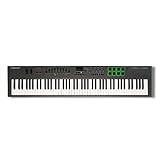
So I downloaded a couple MIDI files to try them out for the first time on my MOXF8.
Followed the prompt below and it got me to the right place. But I get a Unknown File Format message error as soon as I try to play it using SF2.
I double checked. My USB stick is formatted FAT32 and the 2 files on it are .mid files.
They show up on the screen of my keyboard, so at least I know my board can "see" them. (And the files do open and play on Windows media player, so there is something there.)
Where did I go wrong please?
Steps to Play a MIDI File
- Insert your USB flash drive (formatted in FAT32) containing the .MID file into the USB [TO DEVICE] port on the back of the MOXF8.
- Press the [SONG] button to enter Song Mode.
- Press the [FILE] button.
- Press [F3] LOAD.
- Use the arrow cursors to highlight the file type parameter, and set it to "Song".
- Use the arrow cursors to select the file box on the right side of the screen, then turn the [DATA WHEEL] to find your desired .MID file.
- Press the [SF2] button to play/audition the selected MIDI file. [1, 2, 3]