Multitrack recording on Casio WK-3300

Discussion in 'General Keyboard Discussion' started by jt4music, Nov 17, 2011.

  1. jt4music New Member

    Member Since:
    Nov 15, 2011
    Message Count:
    3
    Does anyone know how to record a track in real time, save it, and then add further tracks to it? Ideally saved to an SD card? The downloaded user manual instructions don't appear to work.
      • Advertising
    • Moderator

    The Y_man Moderator

    Member Since:
    Sep 12, 2011
    Message Count:
    469
    Location:
    Melbourne, Australia

    When you say the instrucitons don't work - what did you do (which stesp) and what happened?

    The Y-man
  2. Vctor New Member

    Member Since:
    Oct 7, 2011
    Message Count:
    102
    On my WK-3800, you press the Song Memory button until it says Record 500 (500 or 501 is the number of the song). Then choose a style, a tone, press Start/Synchro and play, when you're done press Stop.
    For recording the 2nd track in real time, press again Song Memory until it says record, press the Registration 1 memory (Bank), this way you selected track 2. Press Start and the song recorded on track 1 will play, and you are recording the 2nd track, press Stop when you're done.

  3. jt4music New Member

    Member Since:
    Nov 15, 2011
    Message Count:
    3
    Hi Vctor
    Thank you for your reply.
    I've followed your sequence 'to the letter' and whilst I can hear the the first track I record the second track doesn't record.
    Just about to give up with it!!
    Regards
    John
  4. Vctor New Member

    Member Since:
    Oct 7, 2011
    Message Count:
    102
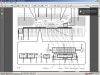
    Hi jt4music, the Registration buttons are the track buttons, I attached a picture.
    After recording the Track 1, press Song Memory button until it says Record, then press the Track 2 button and then start playing or hit the Start button.

    Attached Files:

      • Advertising

Share This Page