
Korg Kronos 2 - Clock battery message error

Joined
May 30, 2023
Messages
1
Reaction score
0
I have a Kronos 2 and I got the following message:
"The clock battery voltage is low.
Please replace the battery, and set the date and time in Disk mode."

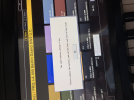
I replaced the battery but the message still showed up. I tried to set up the date/clock at Disk Utility but I can´t change the info. It stated May, 2009 and no way to set up new date.

Can you help to fix that? Can I play without problems or is better to fix?
 

Attachments

  • tempImageY5PgGN.png
    tempImageY5PgGN.png
    961.1 KB · Views: 76

happyrat1

Destroyer of Eardrums!!!
Joined
May 30, 2012
Messages
15,302
Reaction score
6,471
Location
GTA, Canada
How old was the battery? Was it dollar store trash or was it like a dated Duracell?

Dollar store watch batteries are Russian roulette.

Half of them are alkaline instead of lithium and the can sit on the shelf way past their due date.

Buy your Batteries at Walmart or Best Buy or Amazon.

These guys maintain fresh stocks.

Don't waste your money on trash.

Any chance Also that you reversed the polarity on insertion?

Gary ;)
 
Joined
Sep 18, 2024
Messages
1
Reaction score
1
Location
UK
You need to use the DATA WHEEL to adjust the numbers for the date and time. Using the digit keys does not work on the Kronos 2 I just replaced the battery on.
Hope this helps!
 
Joined
Feb 1, 2026
Messages
3
Reaction score
0
Location
Panama
You need to use the DATA WHEEL to adjust the numbers for the date and time. Using the digit keys does not work on the Kronos 2 I just replaced the battery on.
Hope this helps!

TNX! That little "feature" isn't in the manual!

Don't know if my Kronos 88 (purchased in 2017) is typical but there are some differences from instructions and videos showing how to change the battery: 1. The bottom plate on mine is heavy fiberboard, not metal; 2. TAKE CARE TO NOTE WHERE EACH SCREW COMES FROM! Bottom screws are all black and the same length. It's hard to see but there are actually two different kinds of screws. The screws around the sides and front have a slightly smaller head and a more pointed tip. The ones going left to right along the center line and along the back (other than the corners) have a slightly larger head and are machine screws, i.e. no pointed tip. 3. The chrome colored screws on either side of the label have to be removed to free the bottom plate.
 

Ask a Question

Want to reply to this thread or ask your own question?

You'll need to choose a username for the site, which only take a couple of moments. After that, you can post your question and our members will help you out.

Ask a Question

Members online

No members online now.

Forum statistics

Threads
15,222
Messages
96,092
Members
13,841
Latest member
Maestro_316

Latest Threads

Top